RF cable explained: How is it different from coaxial?
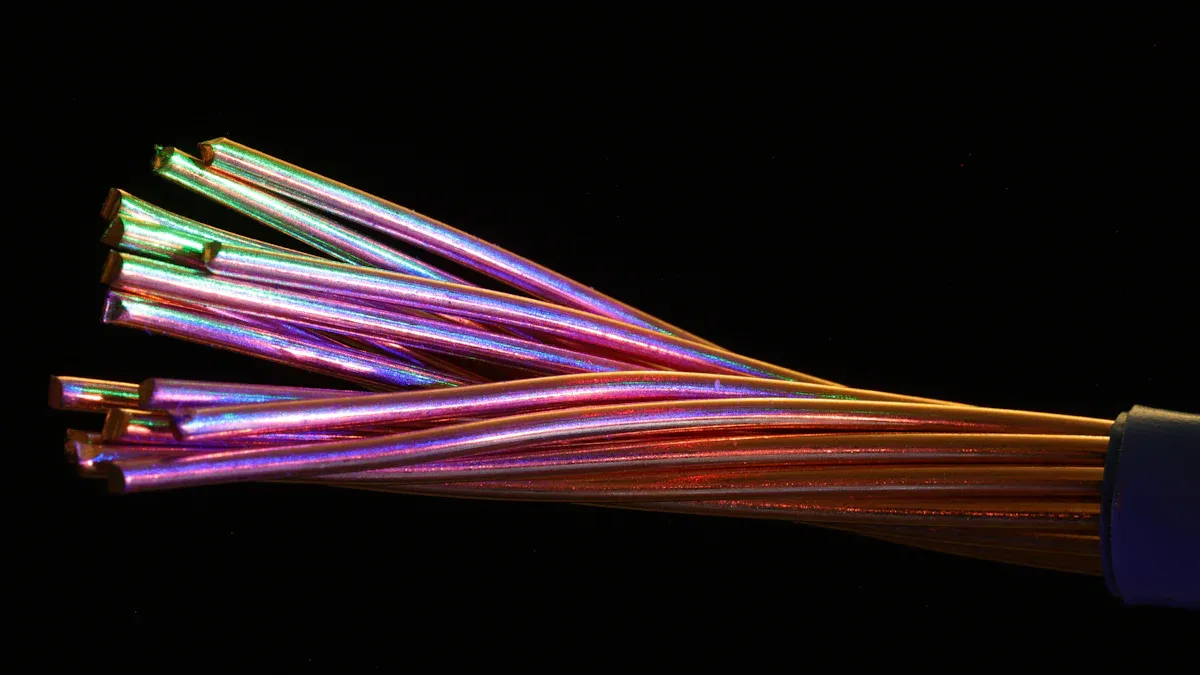
You may think rf cable and coaxial cable are the same. Many people use both words like they mean the same thing. But there are some important differences between them. Knowing these differences helps you pick the right cable. You will learn how each type works. You will also see why picking the right one is important.
Key Takeaways
RF cable works well with high-frequency signals. It is good for radio and wireless uses.
Coaxial cable can be used for many things. People use it for TV, internet, and security systems. It blocks interference very well.
Picking the right cable is important. RF cable is best for high-frequency tasks. Coaxial cable works with more types of signals.
Always look at the cable's frequency range. Check the connector type too. This helps make sure it fits and works well.
Installing cables the right way helps the signal stay strong. Taking care of cables makes them last longer.
What is a coaxial cable?
Structure and layers
A coaxial cable looks different because of its special design. It has many layers, and each layer does something important. The cable is made to follow rules for electricity. Here is an easy table to show the layers:
Each layer uses certain materials to help the cable work:
Center Conductor: Most often, this is copper or copper-clad steel. It moves the signal.
Insulating Layer: Plastic or foam is used here. It stops the signal from escaping.
Metallic Shield: This is made of aluminum or copper. It is braided or wrapped in foil. It blocks outside noise.
Outer Jacket: This part is plastic or rubber. It keeps the cable safe from harm.
Tip: The center wire and the shield are lined up together. This helps keep the signal strong and stops other devices from causing problems.
Common uses
Coaxial cables are used in lots of places. They are good at carrying signals and last a long time. Here are some ways people use them:
You might use coaxial cables for your home internet or TV. Companies use them for cameras and networks. Their strong shield makes them great when you need clear signals.
What is an rf cable?
RF cable and coaxial relationship
People often say rf cable and coaxial cable are the same. They look a lot alike. Both have a center wire, an insulator, a shield, and an outside cover. Coaxial cables use this design, but rf cable is made for more. rf cable is built to carry high-frequency signals. This makes rf cable better for radio frequency jobs. Its design helps stop signal loss and keeps out noise.
Note: rf cable usually has a coaxial design, but not all coaxial cables are for radio frequencies. If you need to send high-frequency signals, pick rf cable. It is made for that purpose.
Here are some ways rf cable is different:
rf cable is made for high-frequency signals.
The layers in rf cable block noise and keep signals strong.
rf cable and coaxial cable look alike, but rf cable is for RF signals.
RF cable applications
rf cable is used where strong, clear signals are needed. Engineers use rf cable in systems that move radio frequency signals. Here are some common uses for rf cable:
Telecommunications: rf cable connects antennas and network gear for high-frequency signals.
Broadcasting: rf cable sends TV, radio, and digital signals from studios to towers.
Wireless Networking: rf cable links routers and access points for steady wireless.
Test and Measurement: rf cable helps measure signals in labs and test tools.
Medical Devices: rf cable carries signals in machines like MRI scanners.
Military and Aerospace: rf cable is used in radar and avionics, built for tough places.
You can find rf cable in homes, hospitals, and planes. Each use needs a cable that keeps the signal clear and strong. Choosing rf cable helps your system work well for radio frequency needs.
RF cable vs coaxial cable
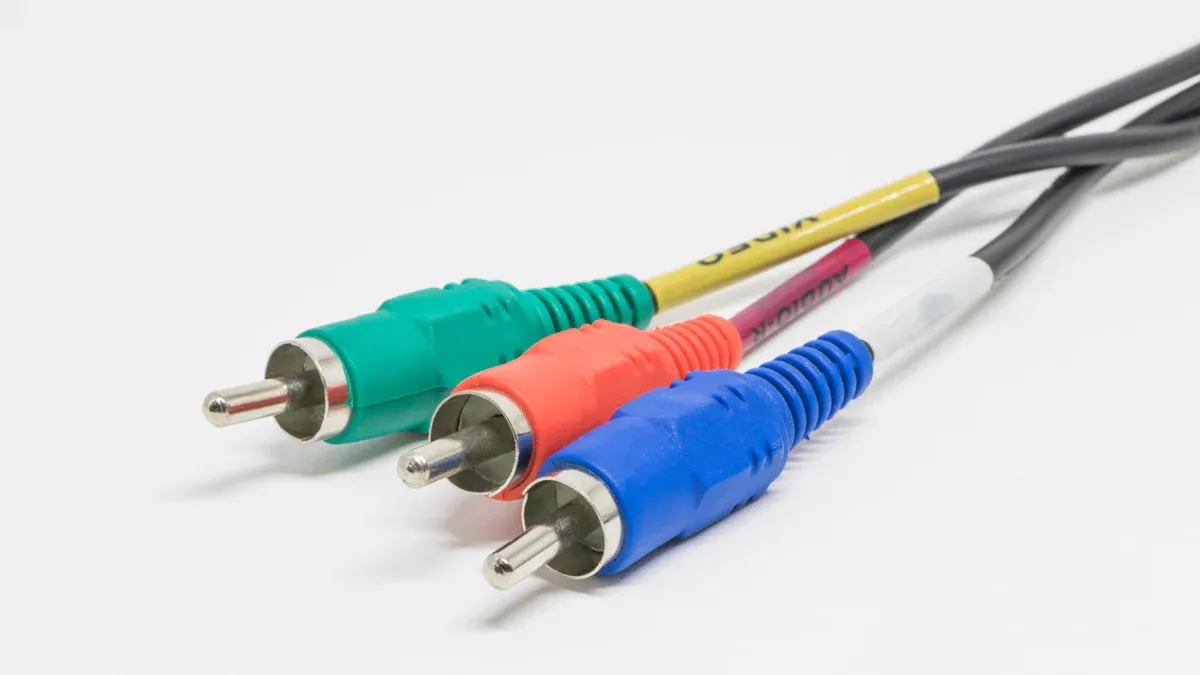
Terminology differences
Sometimes, people use rf cable and coaxial cable as the same thing. But they do not always mean the same thing. In technical books, rf cable means cables for radio frequency signals. Coaxial cable is a bigger group. It includes cables for video, audio, and data.
Here is a table to show how they are different:
Tip: When you see rf cable, think about jobs that need strong signals at high frequencies.
Usage and compatibility
You use rf cable to send signals for radio, wireless, or broadcast systems. These cables connect antennas, transmitters, and receivers. They keep signals clear over long distances. In broadcast stations, rf cable links studio gear and towers. In data systems, rf cable moves signals between antennas and base stations. This helps networks like 4G and 5G work well.
Coaxial cable is used for many things. You see it in home TVs, security cameras, and military gear. Its design blocks outside noise, so signals stay clean.
Here are some ways people use these cables:
rf cable connects antennas and base stations for high-frequency signals.
rf cable links broadcast gear for audio and video over long distances.
Coaxial cable carries TV and internet signals in homes.
Coaxial cable helps military and telecom systems with strong shielding.
If you use coaxial cable instead of rf cable for high-frequency jobs, you might have problems. Some connectors fit together, but not always well. For example, 2.4mm connectors fit with 1.85mm, but only up to some frequencies. SMA connectors can fit with 3.5mm, but loose fits may cause damage. You must match the right connector and cable for your system.
Note: Always check connector types and fits before you connect cables. This helps you stop damage and signal loss.
Technical specs
rf cable and coaxial cable have different features. rf cable is made for high frequencies and low signal loss. Coaxial cable works for more signals, but may not do well at very high frequencies.
Here is a table with common cable types and their features:
Signal loss changes as frequency goes up. At over 1 GHz, resistive losses go up with the square root of frequency. Dielectric losses rise in a straight line as frequency gets higher. Radiated losses are less, but bad cable design can make them worse.
rf cable has strong features to stop interference. You get low signal loss, good shielding, and heat resistance. Some rf cable types can resist fire and weather. The metal shield, often braided copper or aluminum foil, keeps outside noise out and the signal inside.
Here are some features you find in rf cable:
Stops interference well
Low signal loss
Good shielding
Handles heat well
Resists fire
Resists weather
You can see the top frequency limits for different connectors in this chart:
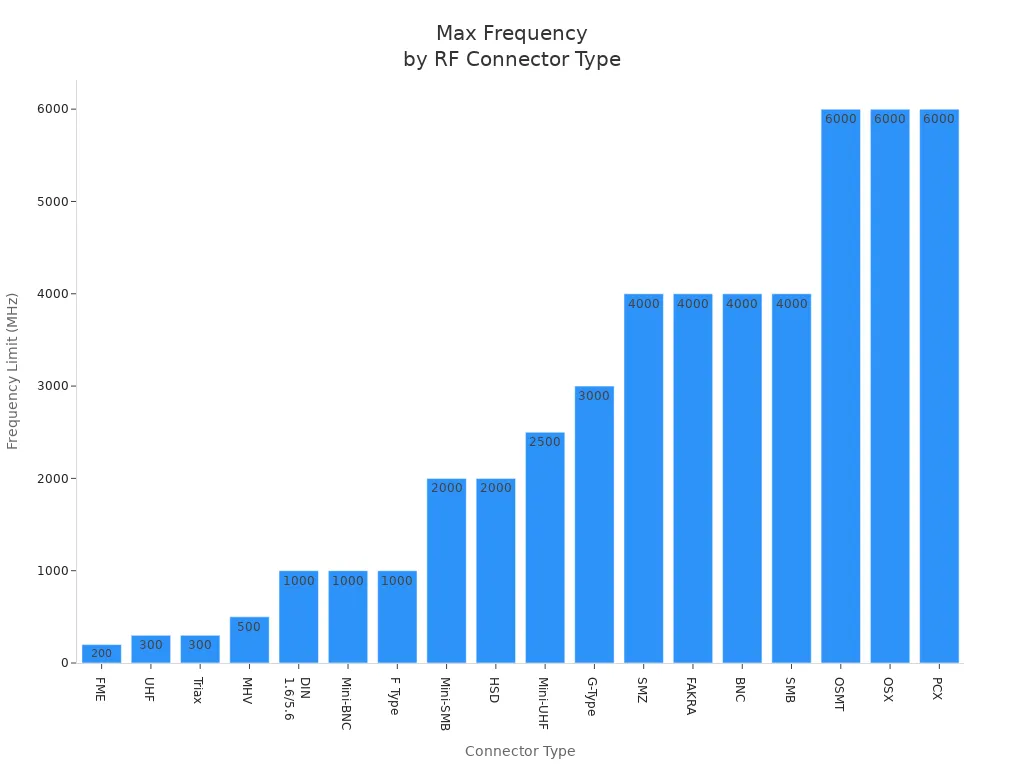
If you need to send signals at very high frequencies, pick rf cable with the right connector and shielding. This helps your system work better and last longer.
Choosing the right cable
Application-based guidance
Pick a cable that fits your job. Think about what you need the cable to do. RF cable works better for radio signals and wireless networks. It is best for high frequencies. Coaxial cable is good for TV, internet, and security cameras. Check the cable’s diameter and bend radius. Thick cables carry more power but do not bend easily. Thin cables fit small spaces and bend better.
Tip: Always check the cable’s frequency range. High-frequency jobs need cables that keep signals strong.
Think about where you will use the cable. If you put cables outside, choose ones with jackets that block water, sunlight, and chemicals. This keeps your system safe from weather. For high-definition video, you might use HDMI, coaxial, optical, or Ethernet cables. Here is a simple guide:
Good cables stop pixelation, flickering, and dropped frames. They block electrical noise and help with 4K and 8K video.
Performance tips
You want your cable to last and work well. Keep cables short. Long cables make signals weak and slow down data. Bend cables gently to avoid kinks and keep them working well. Keep cables away from electrical wires to stop interference. Always ground your antenna and cable to block electrical noise.
Here are some best ways to install and care for cables:
Check cables often to find problems early.
Clean connectors with alcohol and lint-free wipes.
Handle cables gently and do not bend them sharply.
Use good connectors and keep cables neat.
Protect cables from heat, water, and chemicals.
Some mistakes are easy to make. Do not tighten connectors too much. Do not use the wrong connector type. Clean connectors often. Tightening too much can break threads and pins. This makes signals bad. Always follow the maker’s torque rules. Clean connectors to stop dust and oil from causing signal loss.
Note: Coaxial cables can get worse in very hot or cold places. Pick cables with extra shielding and heat protection for tough spots.
If you follow these tips, your cables will last longer and your signals will stay clear. Pick the right cable, install it carefully, and take care of it for the best results.
You have learned that RF cable is a kind of coaxial cable. It is made to carry high-frequency signals. Coaxial cables are good for TV, internet, and security cameras. They block outside noise and last a long time. RF cables work better for radio and wireless systems.
To choose the right cable, look at your signal type. Think about how much shielding you need. Also, check where you will use the cable. Always pick the cable that fits your job for the best results.
FAQ
What is the main difference between RF cable and coaxial cable?
You use RF cable for radio frequency signals. Coaxial cable works for many signals, like TV and internet. RF cable is a type of coaxial cable made for high-frequency jobs.
Can you use coaxial cable for RF applications?
You can use some coaxial cables for RF jobs. Always check the cable’s frequency range and shielding. RF cable gives you better performance for high-frequency signals.
How do you choose the right connector for your cable?
You match the connector type to your cable and device. Look at the frequency limit and fit. Use this table for quick reference:
Why does cable length matter for signal quality?
Long cables weaken your signal. You get more signal loss as the cable gets longer. Keep your cables as short as possible for strong, clear signals.


Comments
Post a Comment